

Phones used to create mobile proxies
App lets you create private mobile proxies in just 5 minutes using an Android phone or tablet.
While it works on all Android devices, some models stand out for their reliability, ease of use, and full feature support. We've curated a list of 100+ recommended phone and OS combinations.
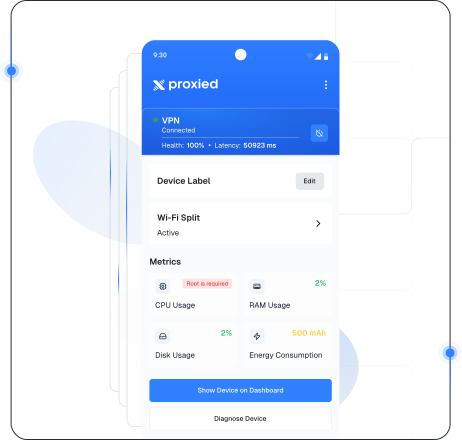
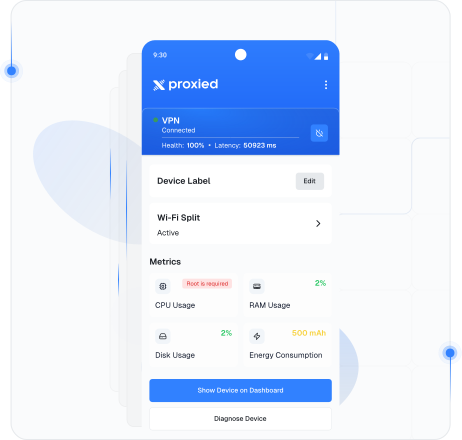
How it works?
App (https://app.proxied.com) turns your Android device into a private mobile proxy in minutes — just connect, configure, and start using your own secure IP.
Download and Install App
Download the app https://app.proxied.com, open the Hoster Dashboard, go to Devices, click "Enroll Device", and scan the QR code with the app.
Set App Permissions
Grant all required app permissions and configure the necessary settings to ensure proper functionality and reliable automation support.
Your Complete Guide to Reliable Proxy Solutions
We've tested these phones inside out — they're the ones you can count on for reliable, stable proxy use. Planning to buy a device for hosting? Start with one of these.
Snapdragon 750
| Recommended | Brand | Model | Android Version | Digital Assistant | CPU Type | Root | 5G |
|---|---|---|---|---|---|---|---|
Samsung | SM-A426U | 13 | Snapdragon 750 |
Your Phone and Features May Still Work
If your device isn't on the list, it doesn't mean it's incompatible with Proxied Agent App — it simply hasn't been widely used by our community yet. Likewise, if it isn't labeled "Digital Assistant" or "Root," it doesn't mean these features won't work; it just means our users don't typically use them on that model.
Not Recommended Phones
Based on user feedback, these models are best avoided. If you already own one, test it first; if buying new, pick a different phone.
| Brand | Model | Version | Comment |
|---|---|---|---|
| МТС | Smart Sprint 4G | - | A lagging weak phone. Perhaps, it can't withstand such loads. But the proxies launch properly |
| Alcatel | 5033E | 11 | Can't install root access, Voice Assistant is not active |
| Alcatel | 5033F | 11 | Can't install root access, Digital Assistant is not active, Macrodroid can't be set up |
| Alcatel | 5033Y | 11 | Can't install root access, Digital Assistant is not active, Macrodroid can't be set up |
| Alcatel | 5045d | - | Didn't work very well for the user |
| Asus | Z00ED | 6.0.1 | Proxies can be launched, but root access won't be able to toggle Airplane mode |
| Blackview | BV9100 | 9 | Can't install OpenVPN |
| Digma | LINX A400 3G LT4001PG | - | The model is too outdated |
| Digma | LINX ALFA 3G LT4047MG | 8.1.0 | Proxies constantly toggle off. The program disappears from the list of running apps. Glitchy phone |
| Fly | FS458 | 6 | Proxies don't launch properly |
Device Specifications & Optimization
Tips on RAM, Rooting, and Avoiding Power-Saving Issues
Pick the right specifications
Avoid phones with ARM Cortex-A53 CPUs, as they tend to offer limited performance. For smoother operation and better overall stability, choose devices with at least 2GB of RAM or more.
Stick to reliable brands
Choose ROOT-capable models from our list, such as Alcatel 1 5033d or Ulefone S10 Pro, and avoid Meizu while being cautious with Huawei, Honor, and some Xiaomi devices.
Adjust settings when needed
For Huawei, Honor, and some Xiaomi phones, turn off energy-saving modes and enable Auto-start/Auto-launch to keep Proxied Agent App and OpenVPN running smoothly.
Test before committing
If you already own a Xiaomi device or a model that isn't listed, install the Proxied Agent app first and verify that all features work correctly before relying on the device for regular use.
F.A.Q
Frequently Asked Questions
We've compiled the most important information to help you get the most out of your experience.
What do I need to get started with mobile proxies?
Do I need a particular phone model to use the App?
My phone isn't listed. Can I still use it?
What's the difference between Digital Assistant, Root, and MacroDroid modes?
Do I need a 5G-capable phone?
Do you replace passive OS fingerprinting (TCP/IP, p0f)?
Still have questions?
Have questions or need assistance? Our team is here to help!
Turn Your Android into a Mobile Proxy
Set up in minutes with full control, reliable IP rotation, and seamless connectivity