



Choose a Proxy Type by Cost, Speed, and Reliability

David
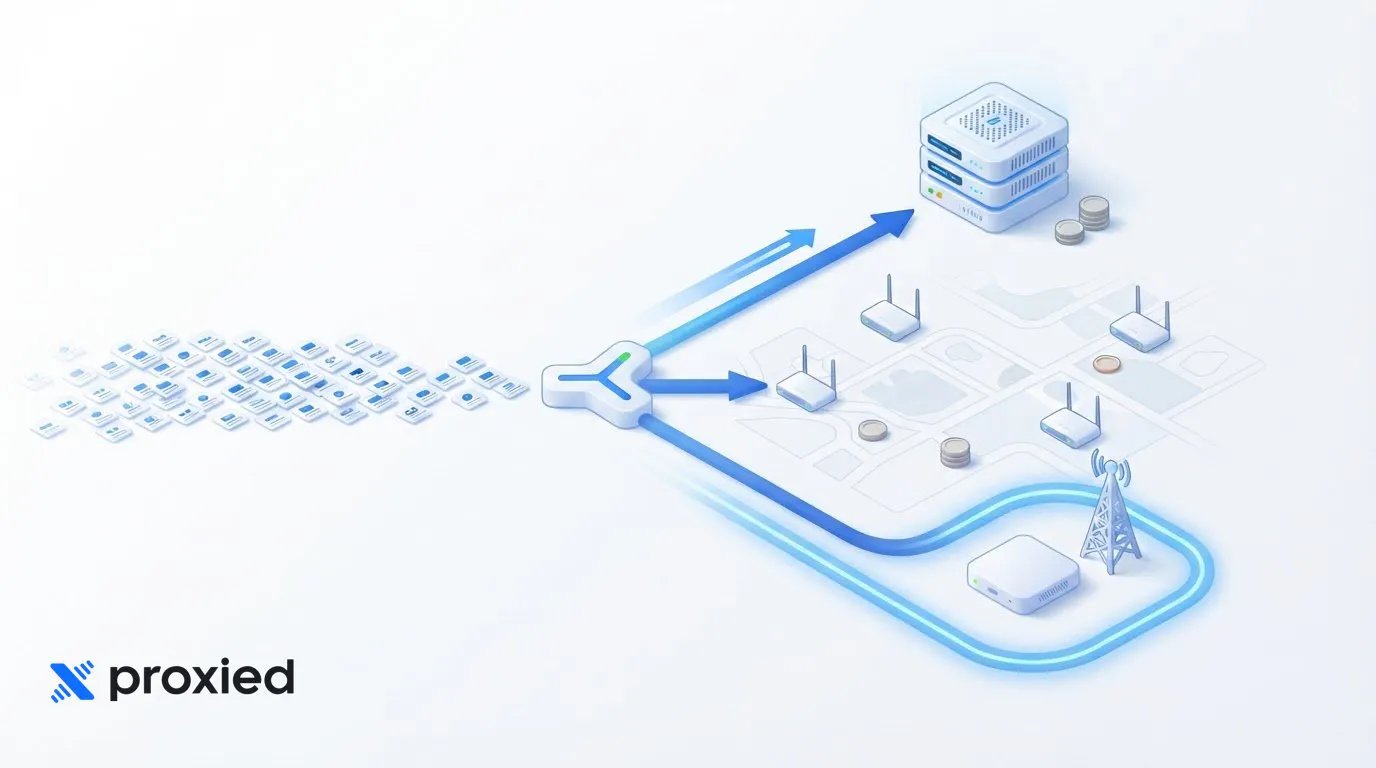
The fastest proxy isn’t automatically the best fit. To understand how to choose the right proxy type, match the connection to your workload: datacenter proxies suit speed and high-volume collection, residential proxies can help when location or access matters, and mobile proxies fit tasks that need cellular-network IPs. The deciding factors are location accuracy, data volume, cost, reliability, speed, detection risk, and protocol requirements.
It’s easy to focus on one benefit, such as low latency, and overlook what happens when a site blocks an IP or a workflow needs a stable session. A better comparison starts with the task: where traffic should appear to come from, how much data it must handle, and whether each request can use a different IP. This guide explains how proxy types differ, where each trade-off matters, and how to narrow your options without paying for capabilities your workload doesn’t need.
Key Takeaways
- Match the proxy category to the task: location-sensitive access, high-volume collection, or workflows that need a consistent connection.
- Weigh speed and data volume against the chance that a website will recognize and restrict a proxy IP.
- Choose rotating or stable sessions based on whether your workflow handles separate requests or keeps a login and activity connected.
- Factor in location accuracy and protocol needs, since the right IP region alone may not suit every application.
- Use the decision guide to narrow your options, then explore Proxied’s relevant connectivity solutions for the workload you’ve identified.
How Do You Choose the Best Proxy Server for Your Workload?
Start with the IP address’s source and location, then weigh session needs, speed, and detection risk. For example, a mobile-network test needs a different connection profile from high-volume collection on public websites.
Datacenter, ISP, Residential, and Mobile Proxies
Datacenter proxies use IP pools assigned to data centers, while residential proxies use ISP-assigned addresses tied to household connections and physical locations. ISP static proxies combine ISP-assigned addresses with dedicated-server hosting. Mobile proxies use addresses assigned to devices on cellular networks, including 4G and 5G.
Compare the options by their network source and the job they must handle:
Proxy type | IP address source | Useful distinction | Consideration |
|---|---|---|---|
Datacenter | Data centers or cloud servers | Speed and large-volume collection | Some sites may recognize or block these addresses |
ISP static | Internet service provider, hosted on a dedicated server | Persistent address for a stable identity | Less suited to tasks needing frequent IP changes |
Residential | Household connections assigned by ISPs | Location-sensitive access | Generally slower and costlier than datacenter proxies |
Mobile | Devices on cellular networks | Mobile experience testing and restrictive platforms | Addresses may be shared across users |
Choose the source that matches the required location, session pattern, and target site.
Proxy Types for Different Workloads
For public-web scraping, datacenter proxies suit speed and volume; residential proxies can help when blocking or geo-restrictions interfere. SEO checks and ad verification often depend on seeing results from a target region, so prioritize the location represented by the IP. Streaming also depends on regional access and session behavior.
Gaming and application automation may need a protocol beyond standard browser traffic. SOCKS5 supports TCP and UDP traffic, so it can route applications such as games when an HTTPS proxy is insufficient.
Mobile proxies are useful for testing how e-commerce pages and ad campaigns appear on mobile devices in different regions. They also suit restrictive platforms that scrutinize traffic patterns. Their cellular-network origin is the key distinction, not a guarantee that every platform will accept a connection.
Carrier-grade NAT can place multiple users behind one public address. Mobile carriers may assign the same IP to hundreds of users at once; RFC 6598 reserves 100.64.0.0/10 as shared address space for service-provider network address translation.
A proxy changes the IP address a website sees, not the rules governing your activity. In the US, follow applicable laws and each website’s terms; using a proxy does not grant permission to access restricted content.
Free proxies can be slow or unreliable and may compromise data security or privacy. Avoid sending sensitive information through a proxy when you don’t trust its operator and data-handling practices.
Choosing proxies by data volume, cost, and reliability
Estimate request volume, session duration, and failure impact before choosing an IP pool. A crawler collecting 10,000 product descriptions has different needs from a workflow that keeps one account signed in. The right balance depends on how much throughput matters and what a failed request costs your operation.
Match proxy capacity to data volume
Datacenter proxies are generally a practical fit for high-volume collection from public websites when cost and speed matter. They offer predictable latency and can scale for large automation workloads, though some websites recognize or block their IPs. Residential proxies tend to cost more and run slower, but can help when scraping encounters blocking, geo-restrictions, or personalized content.
Use rotating proxies when requests are independent, such as crawling separate product pages. Rotation changes the outgoing IP per request or at set intervals, distributing large batches across addresses. It’s a poor fit for a login or checkout flow: a changing IP can break a session that expects a consistent connection.
For a multi-step workflow, sticky sessions keep the same address throughout the session. ISP static proxies suit logins and account-based tasks that need a persistent identity. Choose rotation for separate scraping requests and a stable session for a cart or account process.
Compare reliability and total operating cost
Look beyond the proxy subscription cost. Failed requests, retries, and interrupted sessions consume infrastructure capacity and engineering time. Record successful responses, latency, and error rates for each workload. Google’s Site Reliability Engineering guidance distinguishes typical latency at the 50th percentile from slower-tail behavior at the 95th or 99th percentile. Those tail measurements can reveal delays hidden by an average.
Reliability targets also need context. A 99.9% availability level allows 43.2 minutes of unavailability in a 30-day month. For a batch job that can resume, that interruption may be manageable; for a continuously active workflow, it can create a backlog. Set retry limits and avoid uncontrolled retries, which can multiply load when several application layers repeat failed requests.
Know which proxy direction fits
A forward proxy sits between a user or application and destination websites, routing outbound requests. A reverse proxy sits in front of servers and handles their incoming requests. Proxy-based web collection usually uses a forward proxy; reverse proxies address server-side traffic management, not outbound scraping.
Test a representative workload before scaling: compare completion rate, latency, and session continuity across a small batch, then select the option that meets its requirements with fewer failures. For scraping that encounters access barriers, residential proxy options can be one connection type to consider.
Datacenter proxy speed, cost, and detection
Datacenter proxies can suit workloads where throughput and predictable latency matter more than appearing residential. Compare their speed and lower cost with the target website’s detection controls.
Datacenter Proxy Speed and Cost
Datacenter proxies route traffic through cloud servers or enterprise data center networks, rather than household connections. Their server infrastructure supports high speeds, predictable latency, and large-volume data collection. Compared with residential proxies, they’re generally faster and cheaper, making them useful for crawling public pages or gathering structured product information.
That efficiency depends on the destination and request pattern. A public catalog with accessible pages may respond consistently, while a site with strict controls may block datacenter addresses. For a large scrape, test a representative batch first. Measure response time, successful responses, and retries before expanding traffic across the full dataset.
Datacenter Proxy Strengths and Limitations
Scalability is a key strength: datacenter infrastructure can support many automated requests without relying on household or mobile networks. It also offers a predictable connection profile for repeated public-web tasks. The limitation is that some websites recognize data-center IP ranges, then throttle or block requests that resemble automated traffic.
Speed alone doesn’t establish suitability. If a target rejects a request, adding more datacenter addresses may not solve the underlying issue. Residential proxies may be more appropriate when scraping encounters blocking, geo-restrictions, or personalized content. Choose based on observed access conditions, not the assumption that one proxy category works on every website.
Detection depends on more than the IP source. A site may assess request frequency, repeated page patterns, session continuity, and traffic volume from an address range. For example, a crawler that requests catalog pages at an unusually steady pace can look automated, even when the pages are public. Keep collection aligned with the task and avoid unnecessary repeat requests.
Separate independent page requests from workflows that need a continuous session. A rotating address can suit separate scraping requests, but changing IPs during a login or checkout can interrupt the session. If an address is blocked, review the response and request pattern before changing proxy types. This helps distinguish a proxy-range restriction from a session or traffic issue.
For a practical comparison, run the same small workload through datacenter and residential connections. Track completion rate, latency, blocks, and retries for each. Datacenter proxies are a strong option when public pages respond reliably and large-scale collection needs speed. If strict detection repeatedly disrupts the workload, prioritize access consistency over raw throughput.

Factors for choosing a proxy type
Choose based on the outcome your collection needs, not proxy labels alone. Start with the target location, the website’s access behavior, session requirements, and the application’s technical protocol. For example, a country-level check and a city-level ad review require different location accuracy. The best choice is the one that meets the task without adding unnecessary complexity.
Location accuracy deserves a separate test. An IP address can appear to come from the right country but resolve to a different city. A MaxMind location comparison reported exact-city matches for 27% of tested United Kingdom addresses. Treat that as a reminder to define the required location granularity: country, region, or city. For market research, country-level location can be enough; local ad verification can depend on city-level results.
Next, identify the connection pattern. A rotating IP address suits independent collection requests, while a persistent identity suits account workflows that keep a login or session active. If a site personalizes pages by location or blocks access, residential IP addresses can better match that research requirement. If the task needs cellular-network traffic, mobile proxies provide a distinct connection source. Each choice addresses a different constraint, not a universal ranking.
Use this selection sequence to narrow the options:
- Set location precision: specify the country or city that the test must represent.
- Define session behavior: decide whether each request can use a new address or needs a consistent identity.
- Estimate collection volume: separate large public-data workloads from smaller, access-sensitive research.
- Match the protocol: SOCKS5 supports TCP and UDP traffic, including applications beyond standard web browsers.
- Review access controls: authentication helps prevent unauthorized use of proxy infrastructure.
Provider handling is another technical factor because a proxy provider can access user data. Select providers with clear access controls and security practices, and avoid routing sensitive information through a service without understanding its role. Strong password practices, including passkeys, add a separate layer of account security; a proxy does not replace them.
Finally, verify the chosen setup with the actual workflow. Run a controlled collection task from the required location, then compare the returned content, session continuity, and access results with the expected outcome. If a city-specific result differs, reassess location precision before changing the entire proxy strategy. This practical check makes how to choose the right proxy type a decision based on task requirements, rather than assumptions about speed or anonymity.
Which proxy type is best for web scraping, SEO, ad verification, streaming, or gaming?
Start with the outcome each task needs: collected pages, local search results, regional ad displays, or application traffic. The same proxy type won’t suit every workflow. Use the job’s location, session, and protocol requirements to narrow the choice.
- Web scraping: For collecting public pages at scale, datacenter proxies offer speed and predictable latency. If a target site blocks access or personalizes pages by location, residential proxies may better suit the collection. Use rotating addresses for separate page requests, but avoid rotation within a workflow that depends on one continuous login.
- SEO research: Choose a proxy location that matches the search market you’re examining. A country-level check can show broad regional results; local SEO research may need an IP associated with the target city. Compare the returned search pages with the intended location before drawing conclusions, since IP geolocation can vary in precision.
- Ad verification: E-commerce teams can use local IP addresses to check whether an ad appears and looks appropriate in different regions. Select the relevant market first, then capture the ad placement and landing page. Residential or mobile connections can help represent household or cellular access, while the task determines which context matters.
- Streaming: For regional playback testing, match the proxy location to the market being tested and keep the session consistent during playback. A changing IP can disrupt a stream or make results difficult to compare. Proxy access doesn’t override a streaming service’s terms or grant permission to view restricted content.
- Gaming: Consider the game’s traffic and application requirements, not only browser compatibility. SOCKS5 supports TCP and UDP traffic and can route applications beyond standard web browsers. If a game or custom client needs UDP, SOCKS5 may fit better than an HTTPS proxy; connection stability and latency remain important to play.
For a clean comparison, test one representative task per use case. Record the location shown, successful page or ad results, session continuity, and application compatibility. For example, compare a regional ad check with the same campaign viewed from another target location. That separates a location mismatch from an access or session issue.
Choose the proxy type that meets the task’s essential requirements with the fewest compromises. Explore proxy options for your workload and match the connection to the activity you need to test.
Proxied: Proxy Hosting Platform
Proxied’s Proxy Hosting Platform is for businesses that need to manage and scale their own proxy infrastructure. It’s a relevant next step when your workload needs more control over proxy operations, rather than simply selecting an IP type for a single task.
For work that specifically requires a cellular connection, Proxied also offers Dedicated 4G Mobile Proxies and Dedicated 5G Mobile Proxies. Match the option to your workload: infrastructure management calls for the platform, while mobile testing or other cellular-network tasks may call for a dedicated mobile proxy.
Keep the decision focused on your requirements, such as connection source and whether you need to manage proxy infrastructure yourself. Contact Proxied to discuss which option fits your workload.
Turn Your Proxy Choice Into a Repeatable Process
Make proxy selection part of your workflow, not a one-time guess. Record why a connection type was chosen and what a successful result looks like. When a target website, region, or application changes, revisit that decision instead of carrying old assumptions into a new task.
A simple operating note can help your team stay consistent: describe the workload, the required outcome, and the signs that would prompt a review. This gives technical and research teams a shared basis for adjusting their setup as collection needs evolve. It also makes it easier to distinguish a change in the task from a problem with the proxy configuration.
Use that process to make how to choose the right proxy type a practical decision your team can refine over time. If you want to discuss your requirements, contact Proxied about your proxy needs.
Start with the task in front of you and build a setup that can adapt as it grows.
Frequently Asked Questions
How Accurate Must Proxy Location Targeting Be?
Choose location accuracy based on what the test is meant to represent. Country-level targeting can suit broad market research, while checking a city-specific promotion requires a closer geographic match. For example, compare a local search result or ad placement with the intended market before using it as evidence. If the result depends on a precise location, treat city-level accuracy as a requirement, not an optional refinement.
What are the main types of proxies and how do they differ?
The main categories are datacenter, residential, mobile, and ISP static proxies. Datacenter addresses come from data-center infrastructure; residential addresses are associated with household connections. Mobile proxies use cellular-network addresses, while ISP static proxies combine ISP-assigned addresses with dedicated-server hosting. Rotation and sticky sessions describe how addresses are used, not where they originate. For example, a proxy can be residential and rotating, or ISP static and persistent.
How do residential, datacenter, mobile, and ISP proxies compare in speed, reliability, and anonymity?
Datacenter proxies generally prioritize speed and predictable latency; residential proxies may better fit access-sensitive research but tend to be slower. Mobile addresses come from cellular networks, where carrier-grade NAT can mean multiple users share an address. ISP static proxies offer a persistent identity for account workflows. A proxy changes the IP a destination sees, but it doesn’t make activity anonymous to the proxy operator. Measure results against your actual task.
How do HTTP, HTTPS, and SOCKS5 proxies differ, and which should I choose?
HTTP proxies handle web traffic, while HTTPS proxy connections can carry secure website requests through a tunnel. SOCKS5 works at a lower connection level and supports TCP and UDP, so it can serve applications beyond browsers. Choose based on client compatibility and traffic type: a browser-based workflow may use HTTP or HTTPS, while an application requiring UDP may need SOCKS5. SOCKS5 routes traffic but doesn’t itself encrypt it.
What factors should I consider when choosing a proxy, such as location, rotation, and concurrency?
Set the target location first, then decide whether each request needs a fresh IP or a stable session. For independent product-page collection, rotation may fit; for a logged-in workflow, continuity matters more. Concurrency should reflect the target website’s response behavior and your own infrastructure capacity. Increase parallel requests gradually, recording latency, errors, and completed tasks, so a traffic bottleneck doesn’t look like a location or proxy-type problem.
How much do different proxy types cost in the United States?
Costs vary by proxy type and the requirements of the workload, including location, data volume, session needs, and infrastructure. Avoid comparing a low-cost, high-throughput option with a location-sensitive connection as if they provide identical capabilities. Proxied lists prices for its dedicated mobile proxies openly on its marketplace. Compare the expected operational fit, not just the headline cost, when deciding which type suits your US-based project.