



Fast proxies for real-time data: how routing and location work

David
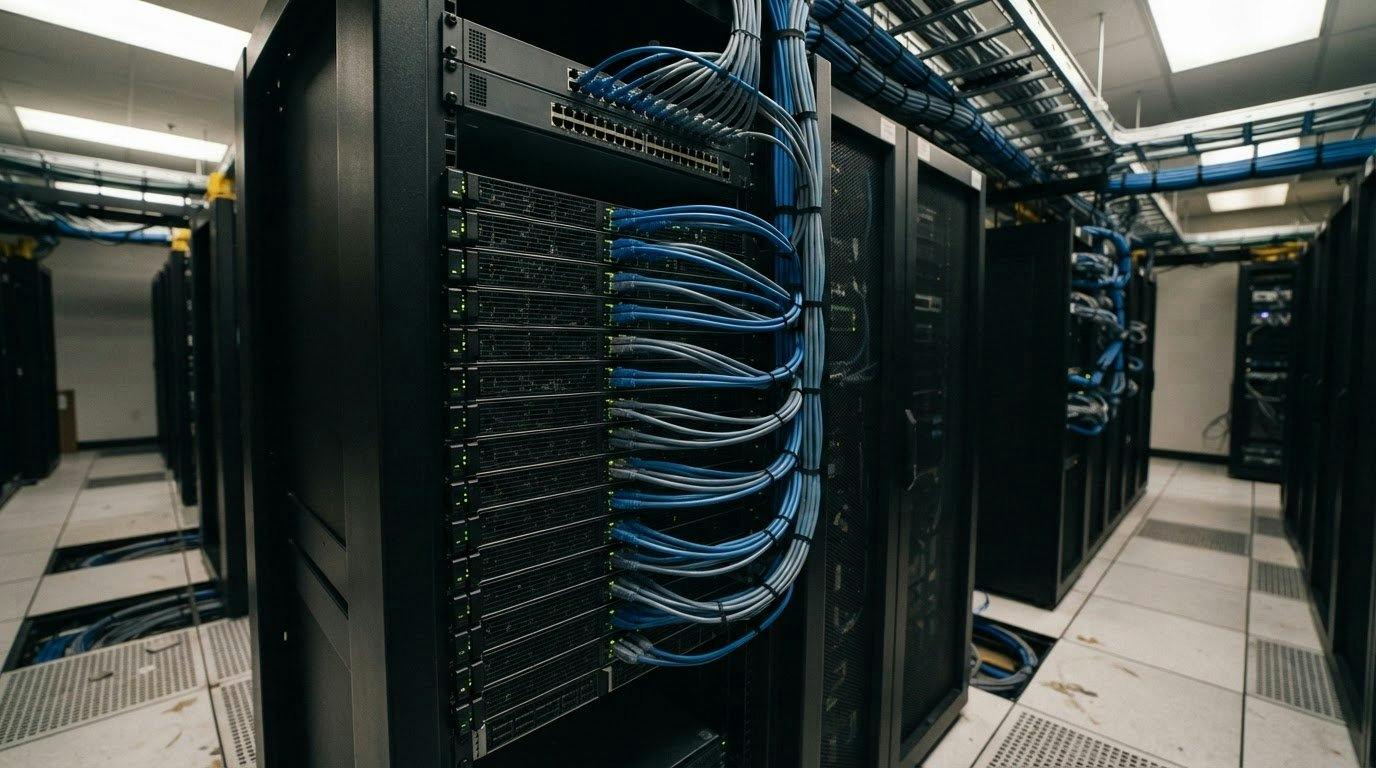
A fast proxy is more than an IP address that changes quickly. It relays requests between your device and the internet, fetching information on your behalf. Fast proxies for real-time data also depend on routing, the apparent location of requests, and how traffic is distributed.
That distinction matters when you’re collecting information that changes quickly. The right setup can help you retrieve region-specific results and distribute requests across IP addresses. The wrong location or frequent IP changes, however, can undermine the accuracy and consistency of your data.
This guide explains how proxies work and compares residential, datacenter, and mobile options. You’ll also learn how location targeting and distributed requests affect speed, privacy, and data quality, so you can identify what matters for your use case.
Key Takeaways
- A proxy routes requests between your device and the internet, but the routing setup influences how quickly data arrives and what IP address a site sees.
- Choose proxy types with your task in mind: residential, datacenter, and mobile connections can affect privacy, consistency, and how a request is perceived.
- Location targeting helps you view region-specific information, but inaccurate geolocation signals can lead to misleading results.
- Distributing requests across IP addresses can support faster collection, while rotating addresses may help when sites limit requests.
- HTTP and SOCKS proxies handle traffic differently, so the protocol should fit the applications and data you need to access.
Anonymity and privacy
A proxy relays traffic between your device and a website. It receives a request and forwards it using its own IP address. This can hide your device’s public IP from the destination, but it doesn’t make every aspect of your activity anonymous. Websites may still recognize accounts, cookies, browser settings, and repeated request patterns.
Think of privacy as several layers. An IP address can suggest a connection’s location or network, while cookies and login details can identify a user more directly. For example, using changing IP addresses to sign into the same social media account doesn’t hide the account itself. A proxy changes the route, not the identity details you provide.
Proxy servers typically operate at layer 7, the application layer of the OSI model. That means they handle requests for applications such as browsers and data collection tools. A proxy also doesn’t automatically encrypt traffic. HTTPS protects data between a device and a website, while the proxy handles the connection route.
Businesses may assess proxy use through several signals, not just an IP address. They can compare incoming IPs with databases of known proxy, VPN, Tor exit-node, and datacenter ranges. HTTP headers such as X-Forwarded-For or Via may reveal a proxy, although proxies can remove or alter them. Rapid IP changes or a mismatch between a reported location and IP geolocation can also prompt scrutiny.
There’s no single typical speed, latency, uptime, or connection limit for every proxy. Performance depends on the route, proxy type, destination, network conditions, and how many requests share the available capacity.
Measure latency and throughput using the same destination and request across each setup. Record the time to establish a connection and receive the complete response, then divide the payload size by transfer time to compare throughput. Repeat the test with your intended location and request pattern, since one result can’t represent every route.
Privacy also depends on how consistently an IP is used. For social media accounts, a stable IP can help avoid abrupt location changes, while rotating addresses at every login may look unusual. For web scraping, rotating residential proxies, randomized delays, and varied headers can distribute activity and change its request pattern.
Choose a setup that fits the task. Dedicated proxies can suit sensitive work such as competitor research or investigative analysis. Before sending requests, limit account permissions, protect proxy credentials, and avoid putting personal information in URLs. These steps reduce exposure, but a proxy remains only one part of an online privacy plan.
Treat pricing and privacy as separate decisions. A lower or higher price doesn’t tell you whether a route protects account details or provides useful anonymity. Match the proxy’s location, stability, and rotation behavior to the data task, then assess the connection using consistent measurements.
Country and city targeting
Location targeting routes requests through IP addresses associated with selected places. The location can affect which regional version of a page appears and how useful the collected data is.
Country and City Selection
Country and city targeting means choosing proxy IP locations that make requests appear to come from a selected region. Residential proxies can make requests appear to come from different countries, helping you access region-specific data. For example, a business comparing competitor prices can request pages through IPs associated with each target market, then analyze differences in displayed products or offers.
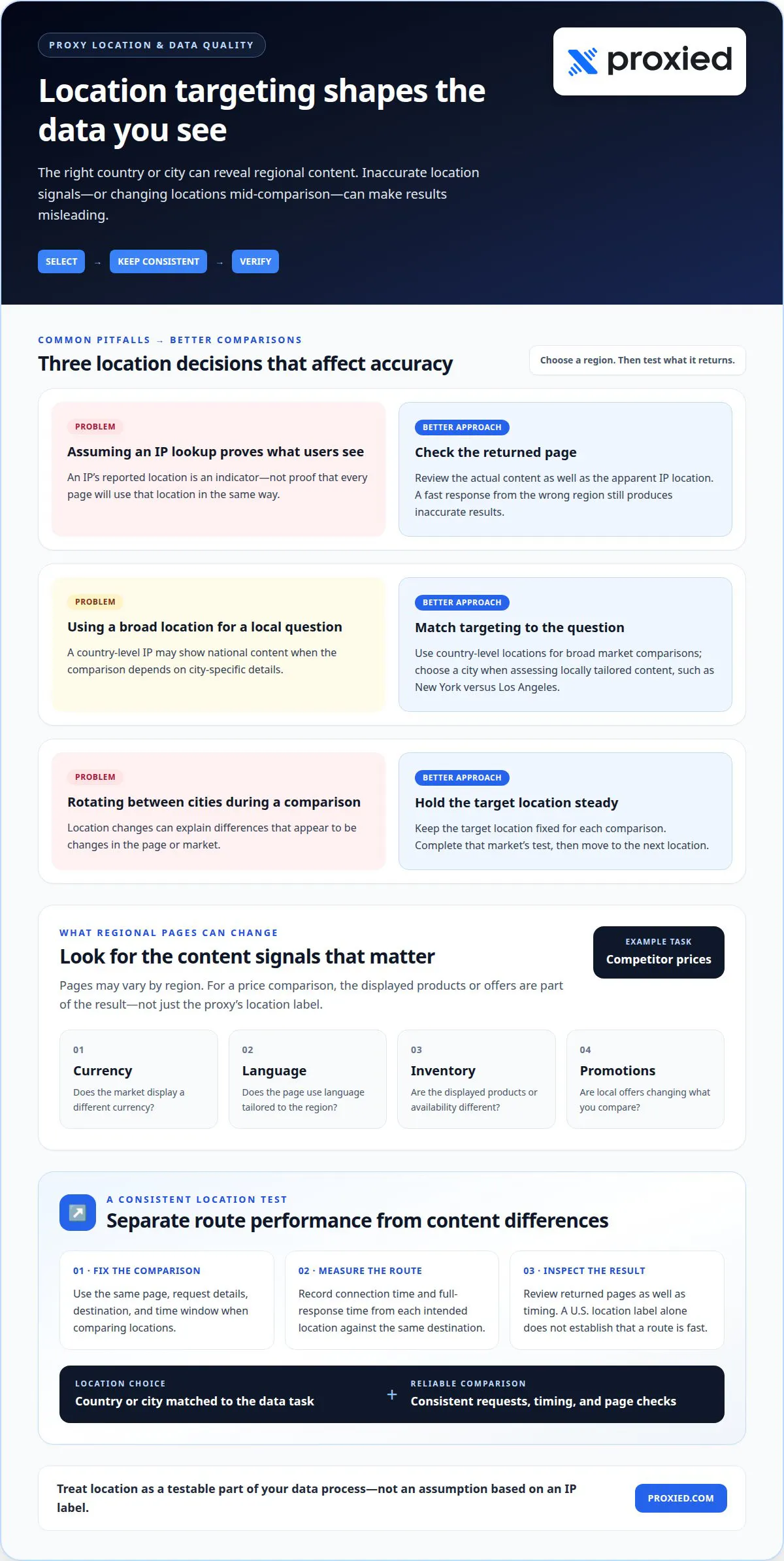
A country-level location can suit broad comparisons, while a city-level location can help assess locally tailored content. Pages may vary by region in currency, language, inventory, or local promotions. If a server detects only a country-level IP location, it may serve national rather than city-specific content. An IP lookup’s location is an indicator, not proof that every page uses that location in the same way.
Keep test conditions consistent. Use the same page, request details, and time window when comparing locations. If requests rotate between IPs associated with different cities, location changes may explain differences that look like content changes. For a clean analysis, keep the target location fixed during each comparison, then move to the next market.
Location can also affect how quickly a request reaches its destination. A nearby route may reduce network travel, but the target server’s location and the route between networks matter too. Measure response times from each intended location against the same destination to separate location-related differences from changes in page content or server behavior.
Low-Latency US Providers
U.S. proxy endpoints route requests through IP addresses associated with the United States. For real-time collection, compare endpoint response times to the specific target server, since a U.S. location label alone doesn’t establish that the route is fast.
Send identical requests through each candidate endpoint and record connection time and full-response time. Keep the destination, request size, and test conditions consistent. A U.S. endpoint may be useful for American regional data, while a city-specific endpoint can support comparisons between places such as New York and Los Angeles.
Choose based on the data task. Competitor price analysis may need consistent regional results more than rapid IP rotation. A frequently changing feed may benefit from distributed requests, provided the location suits the target data. Review returned pages as well as timing: a quick response from the wrong region still produces inaccurate results.
For each target market, map the required country or city to an endpoint, then compare its route and returned content. This makes location a testable part of your data process rather than an assumption based on the proxy setting.
Distributing requests across multiple IP addresses
Sending simultaneous requests through multiple IP addresses can speed up market-data collection. Instead of routing every task through one connection, an application can assign separate requests to different proxy endpoints. This distributes the workload and may reduce delays caused by a busy route. With fast proxies for real-time data collection, the destination server and available routes still affect overall performance.
A proxy pool can rotate IP addresses when a website limits requests. Rotation means requests use different addresses, either for each request or after a set period. For example, a rotating residential setup can change its IP per request or on a schedule. This may help collection continue, but frequent changes can disrupt tasks that rely on a consistent session.
No single rotation setting minimizes latency and connection errors for every task. For independent page requests, rotating between requests may distribute work. For a login or multi-step application session, keeping one IP address can preserve continuity. Adjust concurrency and rotation based on measured response times and connection errors.
Choose the rotation pattern according to what each request does:
- Independent requests: Distribute separate product-page or market-data requests across available IP addresses.
- Session-based activity: Keep the same address while the application completes a sequence, such as login followed by account-page requests.
- Rate-limited collection: Monitor responses and rotate addresses when the current route encounters request limits.
These patterns serve different goals. A market-monitoring system collecting separate prices can send concurrent requests through several addresses. A workflow that submits a form and then reads its result should keep the same session route. Mixing these patterns can create incomplete records or make results harder to compare.
Location matters too. If requests must represent specific regions, distribute them among IP addresses associated with the intended locations. Otherwise, pages may reflect different regional content rather than genuine market changes. Keep regional groups separate in the application, and label each response with its route and collection time.
Monitor more than completion speed. Record response time, failed connections, returned status, and whether the expected page arrived. If errors rise after you add concurrent requests, reduce the workload assigned to each route. If one proxy responds slowly, isolate that route instead of changing every setting at once.
Finally, compare results using the same target pages and request pattern. Fast proxies for real-time data are useful only when the returned information is complete and from the intended region. For real-time analysis, balance parallel requests with session continuity, then refine rotation based on the application’s latency and error records.
Geo-restrictions and data integrity
Geo-restrictions can change which pages, prices, or ads a data collector sees. For accurate real-time results, the proxy location must match the market being measured, and each response must represent the intended region.
Use a proxy when a task needs requests to appear from a particular location or traffic distributed across IP addresses. A VPN routes device traffic through another network, while an API provides structured data directly when the source offers one. A direct connection suits collection that doesn’t need location targeting or request distribution.
For U.S. data collection, treat laws governing access, privacy, and data use, each website’s terms, and its published rate limits as separate constraints. A proxy changes the route, not permission. Follow the site’s conditions, and reduce or stop requests when the site limits or blocks them.
For scraping, residential proxies can make requests appear to come from different countries, helping you access region-specific data. SEO monitoring has different needs: residential or ISP proxies can suit cases where accurate search results matter. A result from the wrong location can distort a ranking comparison, even if the page loads faster.
Keep collection conditions consistent to protect data integrity. For example, when comparing product prices across regions, record the selected location and collection time with each result. Keep regional records separate rather than combining them into one feed. This helps distinguish a market change from a location change.
Location signals can also conflict. A mismatch between a device fingerprint and an IP address’s geolocation may indicate proxy use or other fraudulent intent. For businesses reviewing user activity, treat that mismatch as one signal, not proof on its own. Consider it alongside the account or transaction context for a more informed assessment.
Ad checks need the same regional discipline. Review how campaign content appears in each target region before launch, using local IP addresses to validate the experience. For each major campaign, check ad delivery by location and capture proof. A screenshot associated with its region helps explain why customers in different places saw different creative.
Commerce teams can use a similar process for regional product pages. Collect the same page fields from each target location, then compare currency, inventory, and displayed offers. If one region returns different content, retain the location and response details. This prevents a routing change from being mistaken for a pricing or stock change.
Fast collection still requires sensible request pacing. A proxy pool can distribute requests when sites limit traffic, but aggressive scraping can trigger more limits or incomplete responses. Monitor returned pages and errors alongside speed. Reliable analysis depends on collecting the right regional content under the site’s stated access conditions.
HTTP and SOCKS proxies
HTTP and SOCKS describe different ways an application routes traffic through a proxy. HTTP proxies are designed for web requests, while SOCKS proxies can handle traffic from a wider range of applications. The right option depends on which protocol your software supports and what type of internet traffic it sends.
An HTTP proxy can process HTTP requests and, when configured for HTTPS tunneling, pass encrypted traffic to a website. SOCKS proxies work at a lower level and don’t interpret HTTP request details in the same way. This broader handling can suit applications beyond browsers, including software that uses other network protocols. Neither protocol automatically makes a connection private or faster.
Residential, datacenter, and mobile proxies have no universal speed or reliability ranking. Response times and connection stability depend on the route, network conditions, destination, and proxy setup. Residential IPs are associated with residential devices, datacenter proxies run on servers, and mobile proxies use mobile connectivity. Choosing fast proxies for real-time data starts with matching the proxy type and protocol to the application.
For example, a browser collecting public product pages may work with an HTTP proxy, while a data tool using other protocols may need SOCKS support. For scraping, a residential proxy can provide region-specific IPs; a datacenter connection may suit tasks where the source accepts that route. Test against the same destination and request before scaling.
For streaming or near-real-time collection, configure the application to use a supported proxy protocol and endpoint. Keep one connection for a continuous stream when session continuity matters. For independent data requests, distribute work only if the application and destination support it. Track connection time, full-response time, and errors for the target service.
- Confirm compatibility: Match the proxy protocol to the browser, streaming tool, or data application.
- Use the intended route: Select the required location and keep it consistent during regional tests.
- Measure performance: Compare response timing and failed connections against the same destination.
These checks can distinguish a protocol mismatch from a slow route. If a stream stalls, test whether the application maintains its connection through the proxy. If a data feed falls behind, compare response times and errors before changing proxy settings. Choosing fast proxies for real-time data also means checking that the returned data is complete and timely.
For a proxy setup aligned with your application and traffic needs, explore proxy options, including residential, datacenter, and dedicated mobile proxies.
Websites may detect and block proxies, so choose a setup that fits your real-time data task and follow each site’s access conditions.
Proxied: Datacenter Proxies
Proxied offers Datacenter Proxies for data collection that uses server-hosted IP addresses. They can suit workflows that need to distribute requests across IPs, such as gathering public product information or monitoring pages. The right choice depends on the target site, required location, and how it handles incoming traffic.
For tasks where mobile connectivity is a better fit, Proxied also offers Dedicated 4G Mobile Proxies and Dedicated 5G Mobile Proxies. Match the proxy type to the application and measure its response time and data quality using your intended workflow. No proxy type replaces appropriate request pacing or respect for website access conditions.
If you’re planning a real-time data workflow, contact Proxied to discuss which option fits your requirements.
Build a data workflow around your next decision
Before scaling collection, define what a useful result looks like: current data from the intended market, delivered in a format your team can act on. Set that standard first, then assess whether the route, request pattern, and proxy type support it. This ties performance decisions to business needs rather than speed alone.
Proxied offers Dedicated 4G Mobile Proxies, Dedicated 5G Mobile Proxies, and Free Virtual Numbers for receiving SMS messages. The right combination depends on your workflow and connectivity requirements. Share what data you need to collect, where it needs to appear to come from, and how your application will use it.
For tailored guidance on your setup, contact Proxied to discuss your proxy needs. A clear use case gives you a practical starting point for building a more focused data workflow.
Frequently Asked Questions
What is a Proxy?
A proxy relays requests between an application and an online destination. For example, a price-monitoring tool can send a page request through a proxy, then receive the response through that route. This changes the network path and the IP address presented to the destination. It doesn’t automatically conceal account details, encrypt every connection, or make activity untraceable.
What types of proxies are fastest for real-time data collection?
No proxy type is fastest for every destination or collection task. Datacenter proxies use server-hosted IPs, residential proxies use IPs associated with residential devices, and mobile proxies route through mobile connectivity. Compare options using the same target page, location, request size, and collection schedule. Measure response time and successful, complete results, since a quick response is no use if it returns the wrong regional content.
What are the risks of using free or ultra-fast proxy services?
Free access or an “ultra-fast” label doesn’t show how a proxy handles your traffic or credentials. An operator may be able to observe unencrypted requests, while unreliable routes can return errors, expose connection details, or interrupt a session. Avoid sending passwords or sensitive data through an untrusted proxy. Use HTTPS, protect proxy credentials, and test with non-sensitive requests before routing important activity.
What US laws, website terms, and rate limits apply to proxy-based data collection?
Websites may limit requests. Monitor responses and rotate addresses when a route encounters request limits.
What are typical proxy speeds, latency, uptime, and connection limits?
There is no single typical speed, latency, uptime, or connection limit. Performance depends on the route, proxy type, destination, network conditions, and shared capacity. Compare setups by measuring connection time and full-response time for the same request and destination.