
Proxied logoProxied text

The Ultimate Anti-Detect Browser

Introduction
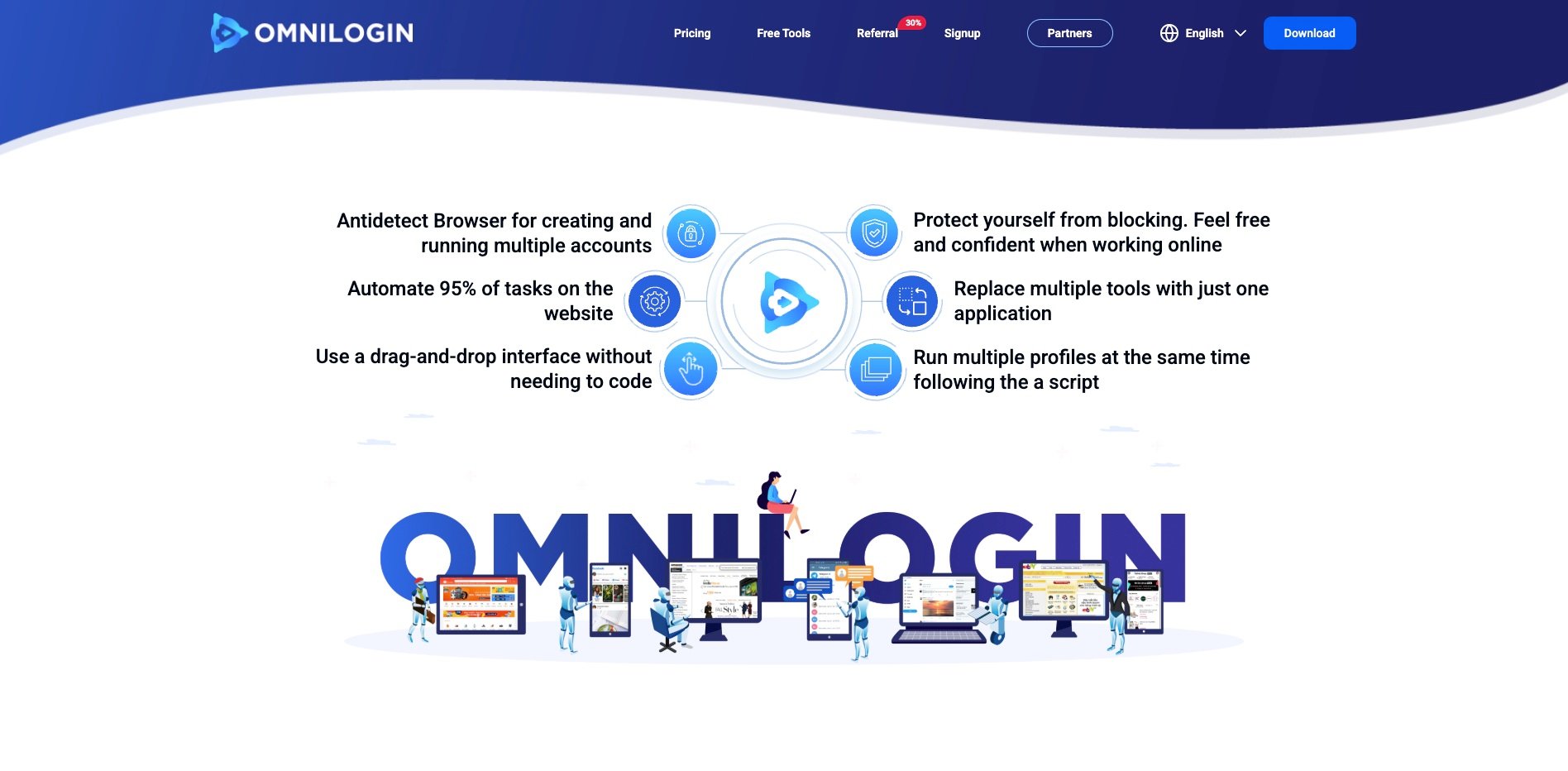
The ultimate anti-detect browser with advanced multi-account management technology for safely operating thousands of accounts from a single device. Features include independent virtual profiles, no-code automation, sync actions, and full HTTP/SOCKS5/SOCKS5-UDP support with unlimited IPv6 creation.
Carousel 0
Carousel 1
Carousel 2

What is Omnilogin?

Omnilogin is a browser built on the Chromium platform aimed at enhancing privacy and empowering users to manage their browser fingerprints. While users may not perceive any difference compared to regular Chrome usage, in reality, simultaneous access to multiple accounts is much safer, thanks to the use of anti-tracking technology via browser fingerprint emulation. Additionally, Omnilogin enables secure website access without sending any personal data to Google, unlike Chrome.

Key Features

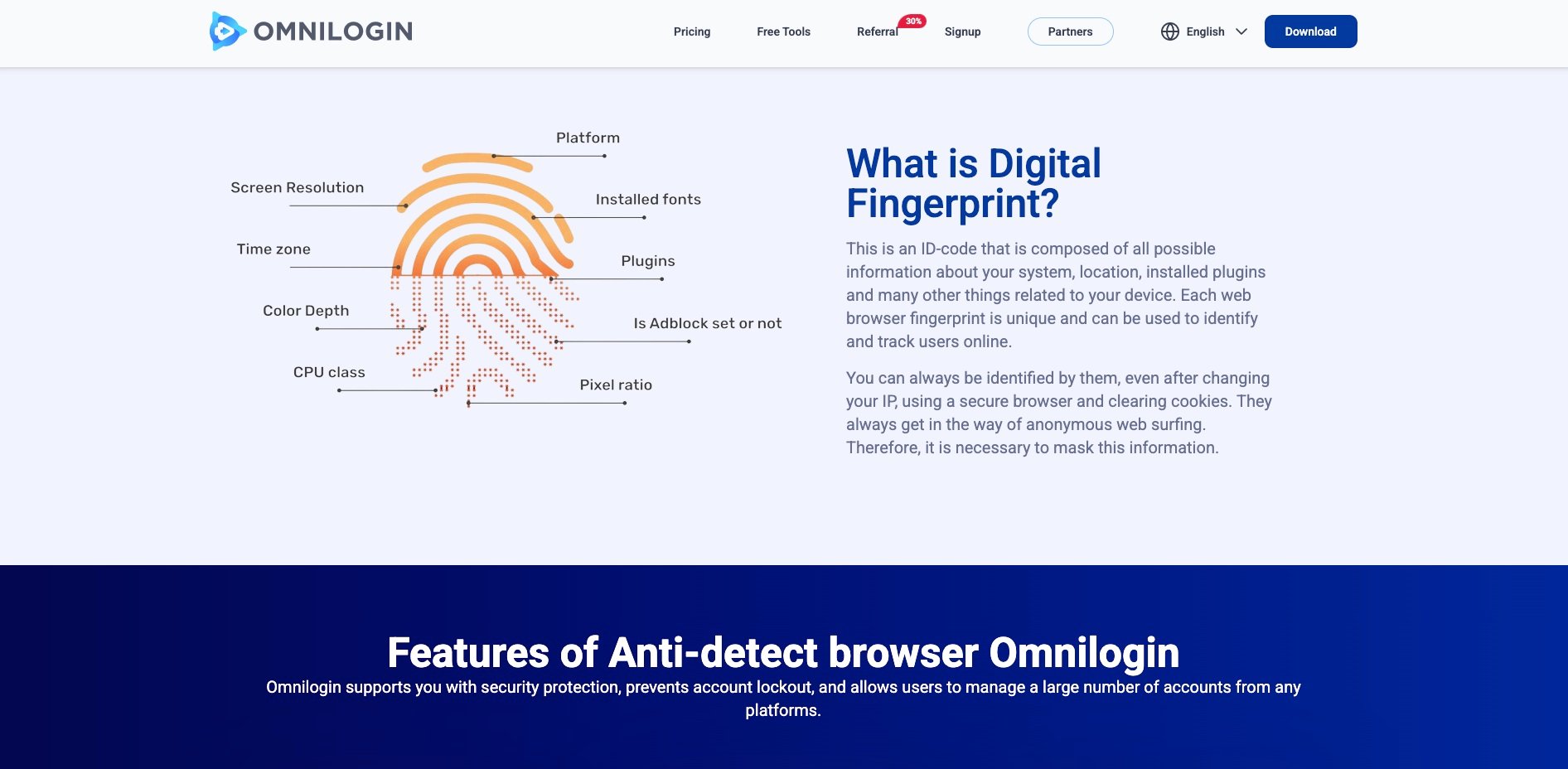
Spoof Real Browser Fingerprints

Our pioneering anti detect technology ensures browser fingerprints appear unique and consistent to websites. This innovative fingerprint masking significantly reduces the risk of detection and account bans.

Automate Everything, No Coding

Maximize productivity with Omnilogin by automating all browser actions, effortlessly streamlining your digital tasks.

Synchroniser Action

With this feature, perform an action on one profile, and it's automatically replicated across all others, saving you time and effort.

Work as a Team

Our multi-level role management promotes organized collaboration, data security, and efficient teamwork. It ensures effective task delegation and permission control, preventing overlaps and redundancies.

Secure Data

By default, your data is only saved on your computer (local), so you can be completely assured about your personal data. And we also support data synchronization and backup to your personal google drive and encryption for added safety.

Rest API

You can connect to API and integrate Omnilogin with other programs. Browser automation with Playwright, Puppeteer, Selenium ...

Create Unlimited IPv6

You can easily create countless IPv6 addresses from your root network or VPS, optimizing costs and significantly saving without needing to purchase IPv6 proxies.

Rotate Proxies by Available List

Proactively manage rotating proxies and optimize resources with the free Bypass & Block Domain feature. Fully supports Socks5 for flexible usage.

Support for SOCKS5 UDP Proxy

Omnilogin routes all traffic, including WebRTC, through a SOCKS5 proxy. This protects your real IP and enhances anonymity for high-security tasks.

Pricing

Omnilogin offers a flexible pricing model starting at $5.40/month (billed annually at $64.80/year) for 10 browser profiles, with the option to scale up to 10,000 profiles and 1,000 team members, while providing unlimited team collaboration features at no additional cost.

Frequently Asked Questions

How to get started with Omnilogin antidetect browser?
Getting started with Omnilogin is simple: First, download the Omnilogin software from our official website. Create your free account to get instant access to 2 browser profiles. Once logged in, you can immediately start creating unique browser fingerprints for multi-account management. Each profile acts as a separate device with its own digital identity. Our comprehensive tutorial library and 24/7 support via Telegram will guide you through advanced features like automation, proxy management, and team collaboration. Start with our free plan to experience all core features before upgrading.
What operating systems and devices does Omnilogin support?
Omnilogin antidetect browser is compatible with Windows 10+ and macOS 10.14+ operating systems. Our software requires a minimum dual-core CPU, 2GB RAM, and 2GB free disk space for optimal performance. We're actively developing Linux support for enterprise users. The browser runs efficiently on Apple Silicon processors, ensuring consistent performance across all supported platforms.
Can I use Omnilogin on multiple computers simultaneously?
Yes, you can access your Omnilogin account from multiple computers at the same time. Your browser profiles, settings, and automation scripts automatically sync across devices through our secure cloud infrastructure. Enable data synchronization in settings to keep cookies, bookmarks, browsing history, and custom configurations consistent across all your devices. This feature is particularly valuable for teams managing multiple accounts from different locations.
How many browser profiles can I create with Omnilogin?
Profile limits depend on your subscription plan. Our free plan includes 2 browser profiles with full feature access - perfect for testing our antidetect capabilities. Paid plans offer 10, 100, 500, or unlimited profiles based on your business needs. Each profile operates as a completely isolated browser environment with unique fingerprints, making it ideal for affiliate marketing, e-commerce, crypto trading, and social media management at scale.
What payment methods does Omnilogin accept?
Omnilogin accepts multiple secure payment options including major credit cards, PayPal, and cryptocurrency payments through MetaMask (USDT, ETH, BTC). We process payments instantly through our automated system, ensuring immediate plan activation. All transactions are encrypted and PCI DSS compliant. For enterprise accounts or custom payment arrangements, contact our sales team for flexible billing options.
Does Omnilogin work with automation tools like Selenium and Puppeteer?
Yes, Omnilogin offers comprehensive automation integration through our REST API, supporting popular frameworks including Selenium, Puppeteer, Playwright, and custom scripts. Our no-code automation builder lets you create complex workflows without programming knowledge. You can automate account creation, social media posting, data scraping, and e-commerce tasks while maintaining each profile's unique fingerprint for maximum security and efficiency.

Find the Perfect
Proxy for Your Needs

Join Proxied